
编辑器
Visual Studio Code
编辑器
Visual Studio Code
语言服务
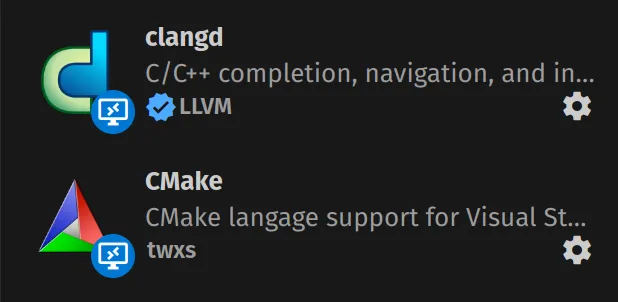
clangd (LLVM)
适用系统
Ubuntu 18.04+
难度
在 VSCode 中的 “C/C++” 插件在开发 ROS(C++)时显得力不从心:
❌ 头文件索引差
CMakeList 写明了各种库,还需要在 cpp_configuration 中手动添加路径
❌ 静态检查失效
由于没有良好的索引,静态代码检查完全无法工作
❌ Quick-fix 无用
只能傻傻的提示一下可能的错误
以 Ubuntu 18.04 作为示例:
安装 clang
sudo apt install clang# 考虑到 ubuntu 源更新,其名称可能变为:clang-10安装 clangd
sudo apt install clangd-10创建软链接让 VSCode 插件能找到:
sudo ln -s /usr/bin/clangd-10 /usr/bin/clangd安装 clang-format(可选)
sudo apt install clang-format在项目根目录下添加 .clang-format 文件:
Language: CppAccessModifierOffset: -1AlignAfterOpenBracket: AlignAlignConsecutiveAssignments: falseAlignConsecutiveDeclarations: falseAlignEscapedNewlines: LeftAlignOperands: trueAlignTrailingComments: trueAllowAllParametersOfDeclarationOnNextLine: trueAllowShortBlocksOnASingleLine: falseAllowShortCaseLabelsOnASingleLine: falseAllowShortFunctionsOnASingleLine: AllAllowShortIfStatementsOnASingleLine: trueAllowShortLoopsOnASingleLine: trueAlwaysBreakAfterDefinitionReturnType: NoneAlwaysBreakAfterReturnType: NoneAlwaysBreakBeforeMultilineStrings: trueAlwaysBreakTemplateDeclarations: trueBinPackArguments: trueBinPackParameters: trueBreakBeforeBinaryOperators: NoneBreakBeforeBraces: CustomBreakBeforeInheritanceComma: falseBreakBeforeTernaryOperators: trueBreakConstructorInitializersBeforeComma: falseBreakConstructorInitializers: BeforeColonBreakAfterJavaFieldAnnotations: falseBreakStringLiterals: trueColumnLimit: 80CompactNamespaces: falseConstructorInitializerAllOnOneLineOrOnePerLine: trueConstructorInitializerIndentWidth: 4ContinuationIndentWidth: 4Cpp11BracedListStyle: trueDerivePointerAlignment: trueDisableFormat: falseFixNamespaceComments: trueIndentCaseLabels: trueIndentPPDirectives: NoneIndentWidth: 4IndentWrappedFunctionNames: falseKeepEmptyLinesAtTheStartOfBlocks: falseMaxEmptyLinesToKeep: 1NamespaceIndentation: NonePointerAlignment: RightReflowComments: trueSortIncludes: trueSortUsingDeclarations: trueSpaceAfterCStyleCast: falseSpaceAfterTemplateKeyword: trueSpaceBeforeAssignmentOperators: trueSpaceBeforeParens: ControlStatementsSpaceInEmptyParentheses: falseSpacesBeforeTrailingComments: 1SpacesInAngles: falseSpacesInContainerLiterals: falseSpacesInCStyleCastParentheses: falseSpacesInParentheses: falseSpacesInSquareBrackets: falseStandard: AutoTabWidth: 4UseTab: Neverclangd
作者:LLVM
CMake
作者:twxs
Clang-Format
作者:Xaver Hellauer
设置编译命令路径
在 VSCode 插件中找到 clangd 设置,在 “Clangd: Arguments” 中添加:
--compile-commands-dir=${workspaceFolder}/build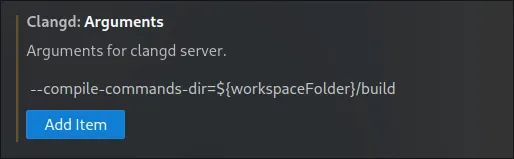
配置工作空间编译参数
catkin config --cmake-args -DCMAKE_EXPORT_COMPILE_COMMANDS=ONcatkin buildcatkin_make -DCMAKE_EXPORT_COMPILE_COMMANDS=1验证配置
检查 build/ 目录下是否有 compile_commands.json 文件。
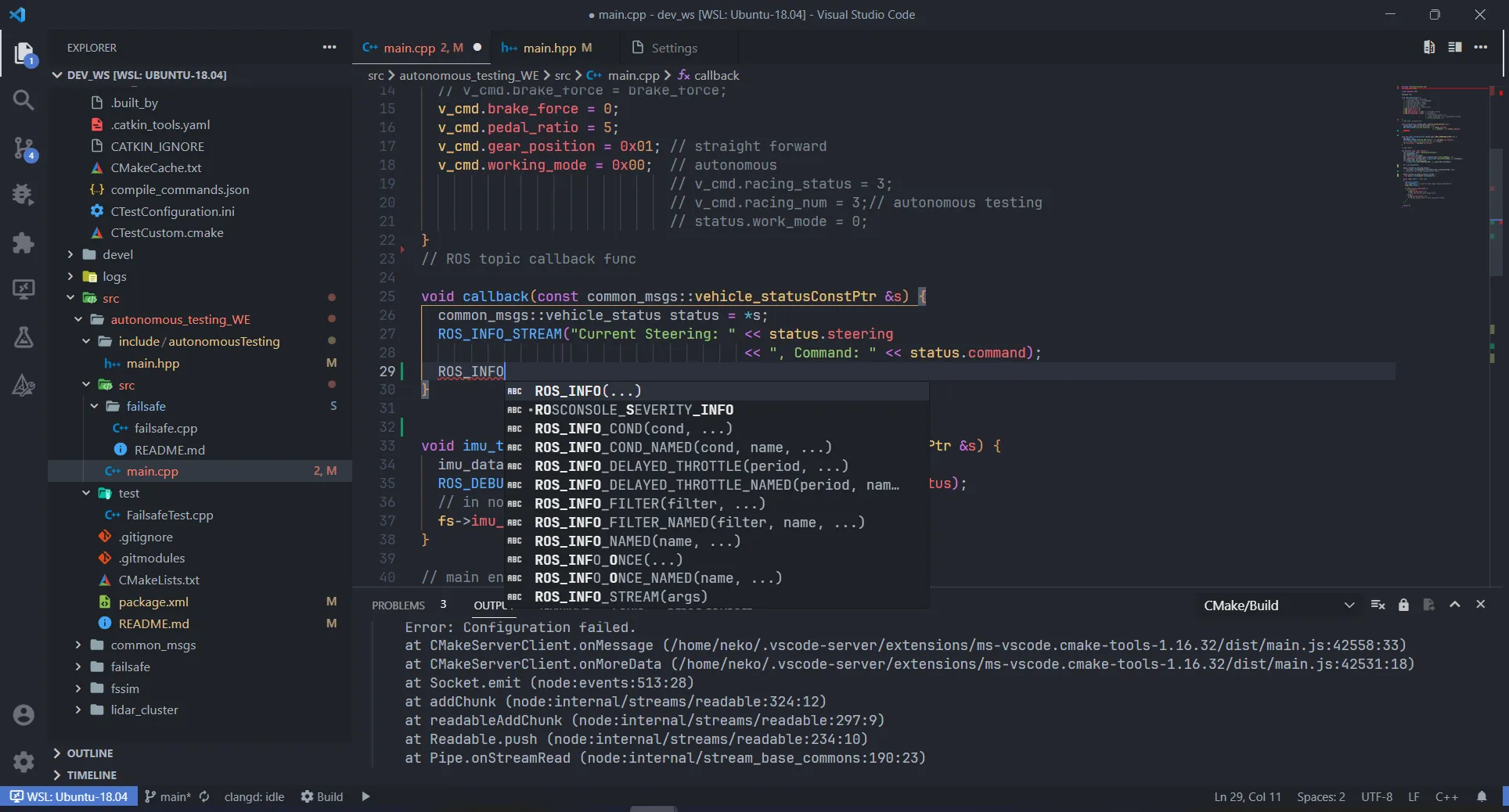
这样就可以愉快地使用 clangd 的特性进行 ROS 开发了!
打开微信扫一扫,分享给朋友